Searching Your Library
Stashmark's search bar does much more than keyword matching. It understands a lightweight query language that lets you combine filters, boolean logic, and text search to surface exactly the article, video, or resource you are looking for.
The search bar
The search bar sits at the top of your library. Click it or press / from anywhere in the app to jump straight to it.

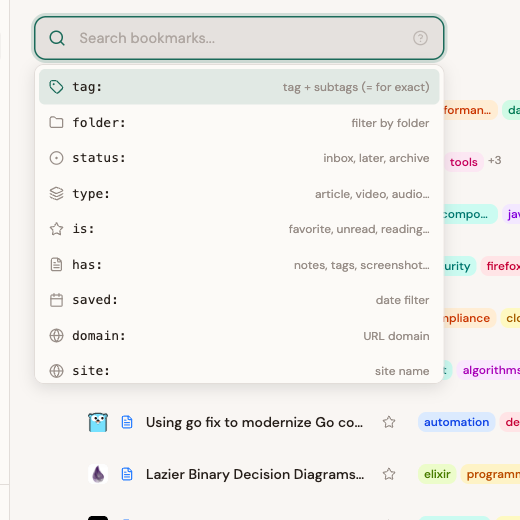
As you type, an autocomplete dropdown suggests available operators and values. When the search bar is empty and focused, it shows all available operators:
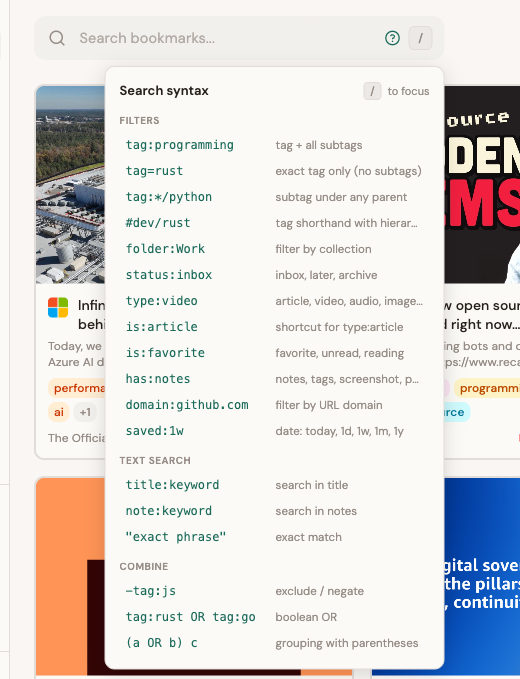
Click the ? icon on the right side of the search bar to open the syntax help popover, a quick-reference cheat sheet for every operator:
Quick start examples
Before diving into each operator, here are some common searches to give you a feel for how it works:
| Query | What it finds |
|---|---|
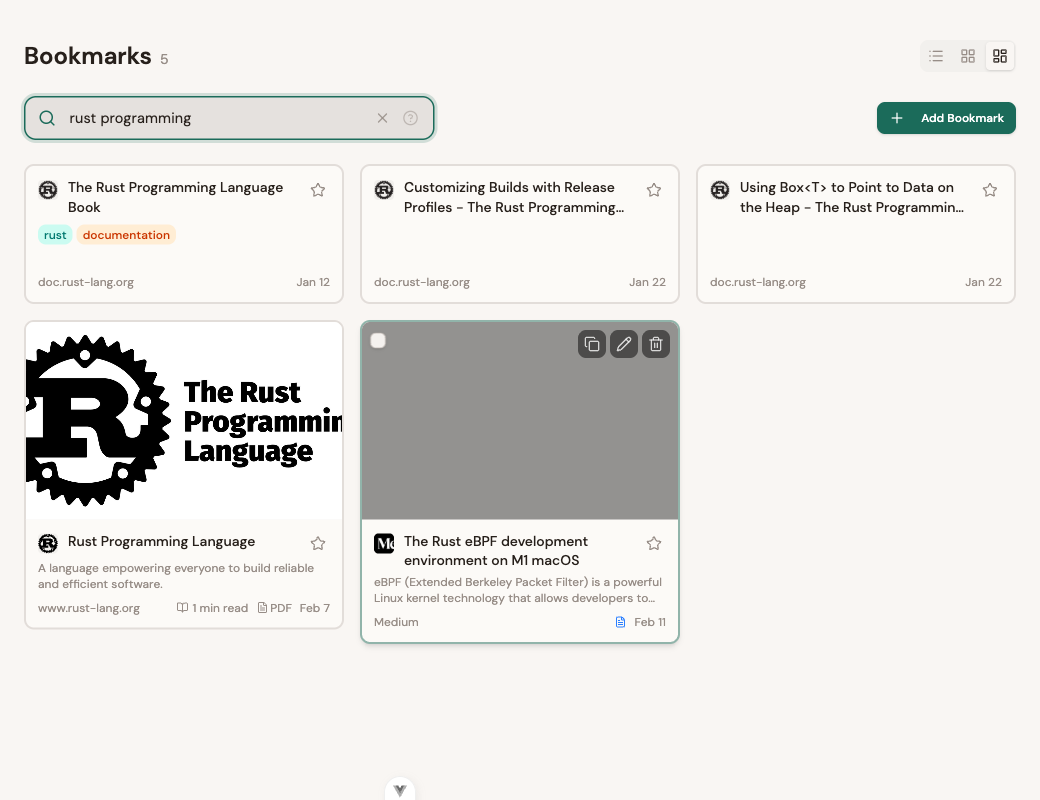
rust programming | Items matching "rust" AND "programming" (full-text) |
"async programming" | Items containing the exact phrase "async programming" |
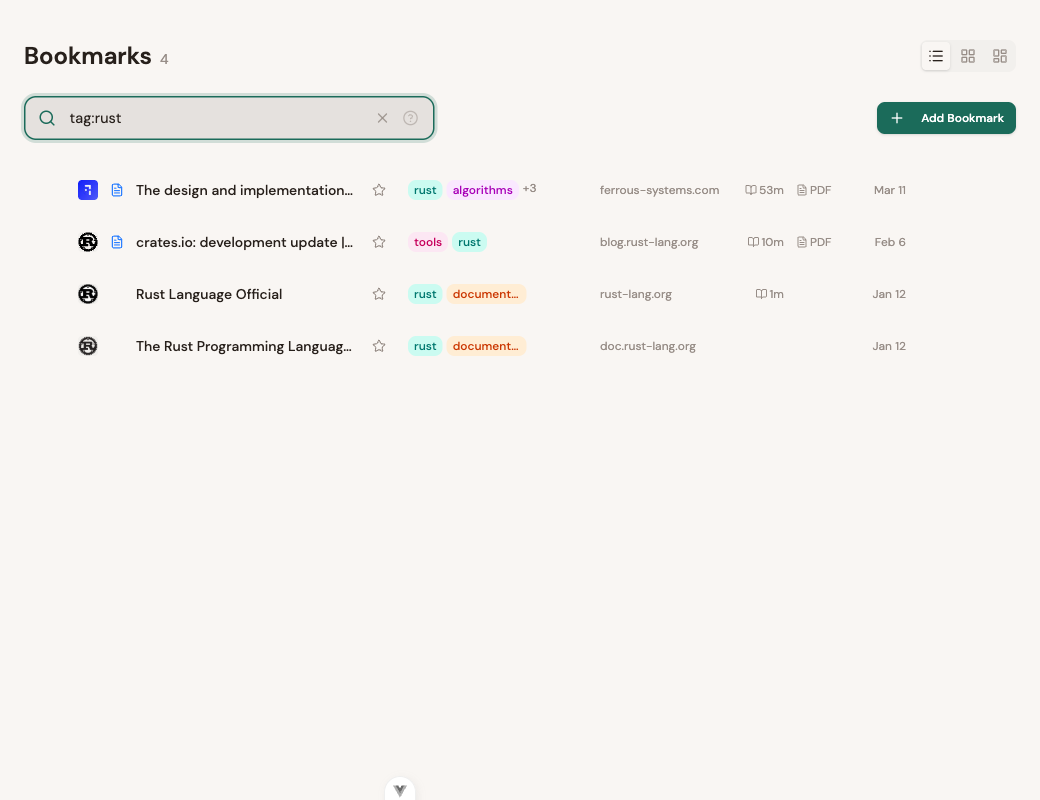
tag:rust | Everything tagged "rust" (including subtags like rust/async) |
is:favorite saved:1w | Favorites saved in the last week |
type:video has:transcript | Videos that have a transcript |
domain:vercel.com -tag:archived | Pages from Vercel, excluding those tagged "archived" |
(tag:rust OR tag:go) is:favorite | Favorites tagged either "rust" or "go" |
Full-text search
Just type words into the search bar. Stashmark uses PostgreSQL full-text search to match against titles, descriptions, URLs, and even video transcripts.
rust async
Each word is matched independently. rust async finds anything containing both "rust" and "async" anywhere in the searchable text.
Exact phrases
Wrap text in double quotes to search for an exact phrase:
"machine learning"
This matches the literal string "machine learning" rather than pages that happen to contain both words separately.
Filter operators
Filters use the syntax operator:value. The autocomplete dropdown helps you discover operators and valid values as you type.
tag: -- Filter by tag
The tag: operator (or the # shorthand) filters by tag. It supports hierarchical tags: if you use nested tags like programming/rust, searching for the parent automatically includes all children.
| Syntax | Behavior |
|---|---|
tag:rust or #rust | Matches "rust" and all subtags (e.g. rust/async, rust/wasm) |
tag=rust | Exact match only, matches "rust" but not rust/async |
tag:*/python | Wildcard, matches "python" as a subtag under any parent (e.g. programming/python, ml/python) |
tag:programming/python | Matches programming/python and its descendants |
#dev/rust | Shorthand with hierarchy, same as tag:dev/rust |
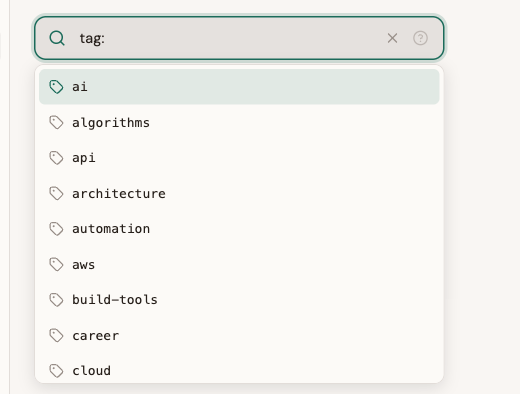
When you type tag:, the autocomplete shows your existing tags sorted alphabetically:
Combining tag filters:
tag:rust tag:database-- items with both tagstag:rust OR tag:go-- items with either tag-tag:archived-- exclude a tag
folder: -- Filter by collection
Find items in a specific collection. Uses substring matching, so folder:Work matches "Work", "Work/Projects", etc.
folder:Learning
folder:"Side Projects"
Use quotes for collection names with spaces.
status: -- Filter by reading status
Every saved item has a reading status: inbox, later, or archive.
status:inbox        # New, unprocessed items
status:later        # Saved for later reading
status:archive      # Archived / done
type: -- Filter by content type
Stashmark automatically detects content types when you save a link.
| Value | Description |
|---|---|
type:article | Long-form articles with reader view |
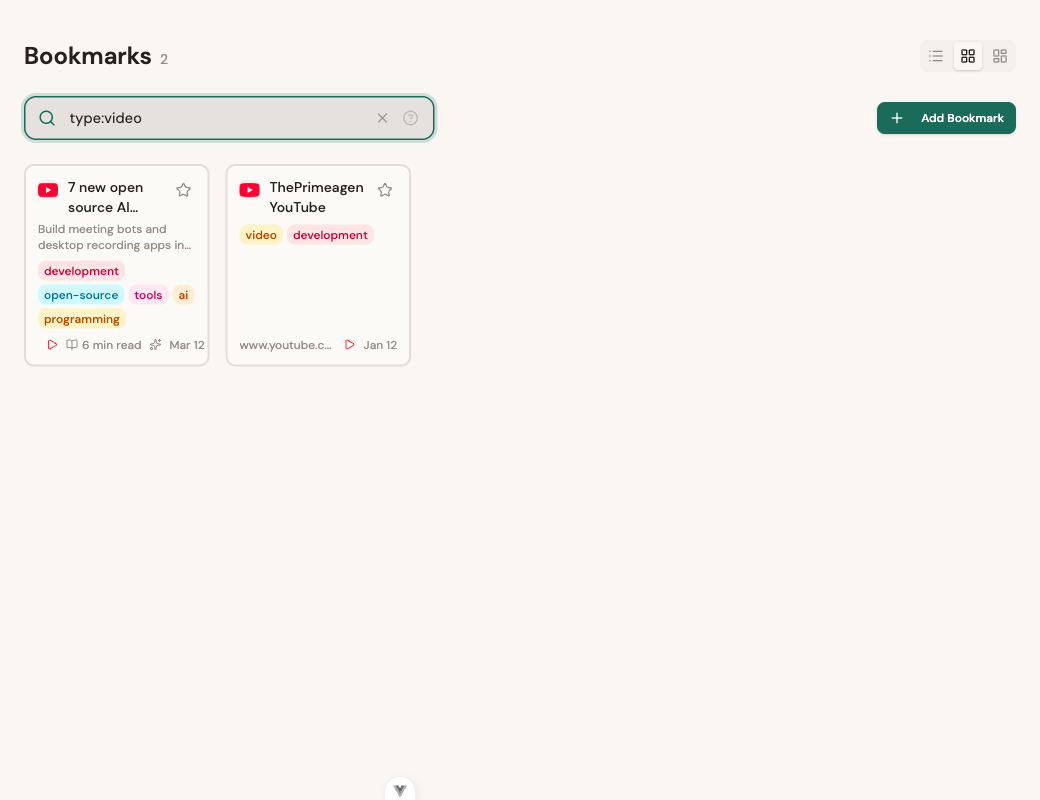
type:video | YouTube, Vimeo, and other video content |
type:audio | Podcasts and audio content |
type:image | Image-heavy pages |
type:document | PDFs and documents |
type:link | General links (default) |
is: -- Boolean property shortcuts
The is: operator checks boolean properties or acts as a shortcut for content types.
| Syntax | Matches |
|---|---|
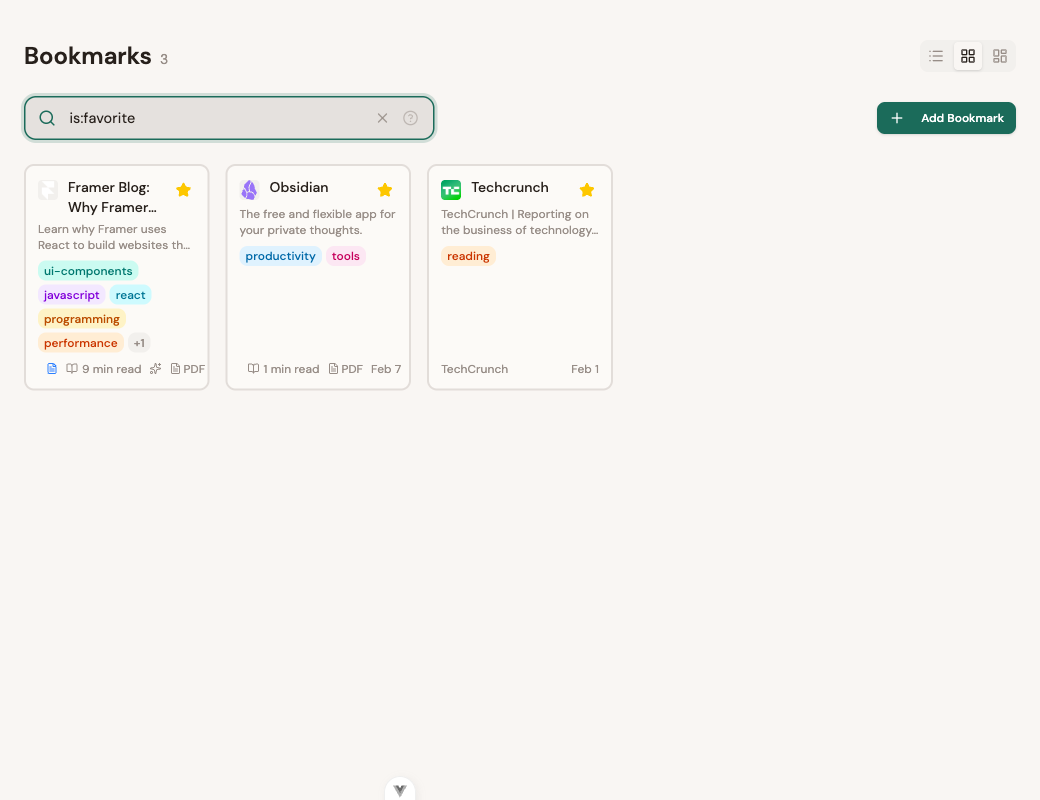
is:favorite or is:fav | Favorited items |
is:unread | Items with inbox status |
is:reading | Items you have started reading (have progress > 0) |
is:article | Shortcut for type:article |
is:video | Shortcut for type:video |
is:audio | Shortcut for type:audio |
is:image | Shortcut for type:image |
is:document, is:doc, is:pdf | Shortcut for type:document |
has: -- Existence checks
Check whether an item has specific associated content.
| Syntax | Matches |
|---|---|
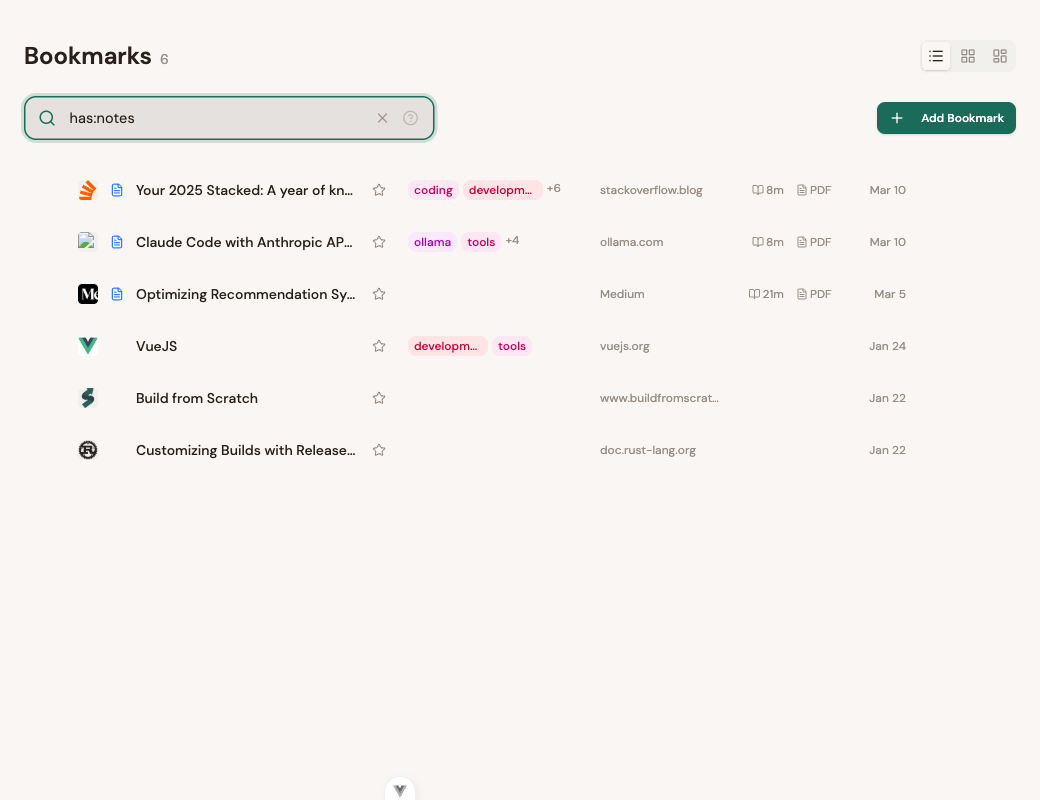
has:notes | Items with personal notes attached |
has:tags | Items that have at least one tag |
has:screenshot | Items with a preserved screenshot |
has:pdf | Items with a preserved PDF |
has:reader | Items with reader view content |
has:transcript | Videos with an extracted transcript |
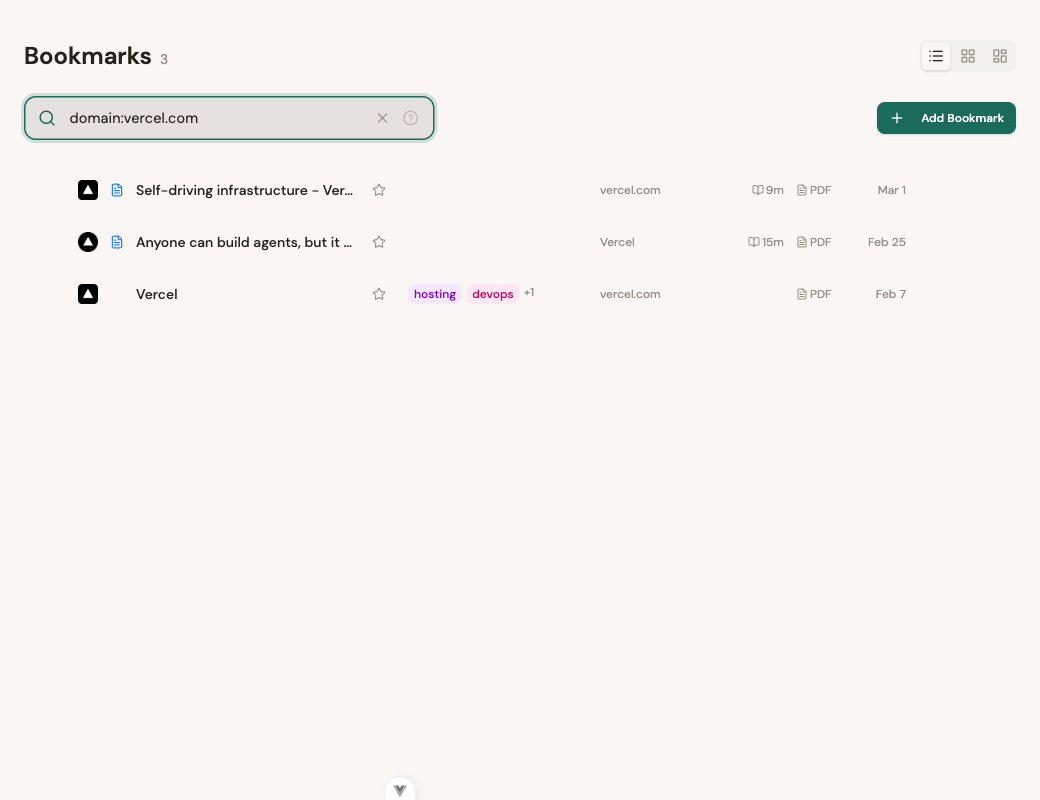
domain: -- Filter by URL domain
Find items from a specific domain. Supports partial matching and subdomains.
domain:vercel.com       # All Vercel pages
domain:vercel           # Matches vercel.com, vercel.app, etc.
domain:blog.mozilla.org # Specific subdomain
site: -- Filter by site name
Match by the display name of the site (from metadata), rather than the URL:
site:GitHub
site:"The Verge"
title: and note: -- Field-specific text search
Search within just the title or your personal notes, rather than full-text across everything:
title:kubernetes        # Only matches in titles
note:important          # Only matches in your notes
title:"getting started" # Exact phrase in title
Date filters with saved:
The saved: operator filters by when an item was saved. It supports keywords, relative dates, absolute dates, and date ranges.
Keywords
saved:today             # Saved today
saved:yesterday         # Saved yesterday
saved:thisweek          # Saved this week
saved:thismonth         # Saved this month
saved:thisyear          # Saved this year
Relative dates
Use a number and a duration suffix to find items saved within a recent time window:
| Suffix | Meaning |
|---|---|
d | Days |
w | Weeks |
m | Months |
y | Years |
saved:1d        # Saved in the last day
saved:1w        # Saved in the last week
saved:3m        # Saved in the last 3 months
saved:1y        # Saved in the last year
You can also use > and < to compare the age:
saved:>1w       # Saved more than 1 week ago (older)
saved:<1w       # Saved less than 1 week ago (recent)

Absolute dates
Use exact YYYY-MM-DD dates with comparison operators:
saved:2024-06-15            # Saved on that exact date
saved:>2024-01-01           # Saved after January 1, 2024
saved:<2024-06-01           # Saved before June 1, 2024
Date ranges
Use .. to specify a range between two dates:
saved:2024-01-01..2024-06-01 # Saved between Jan 1 and Jun 1, 2024
Combining queries
Implicit AND
Multiple terms are combined with AND by default. Every condition must match:
tag:rust is:favorite saved:1w
This finds items that are tagged "rust" AND are favorited AND were saved in the last week.
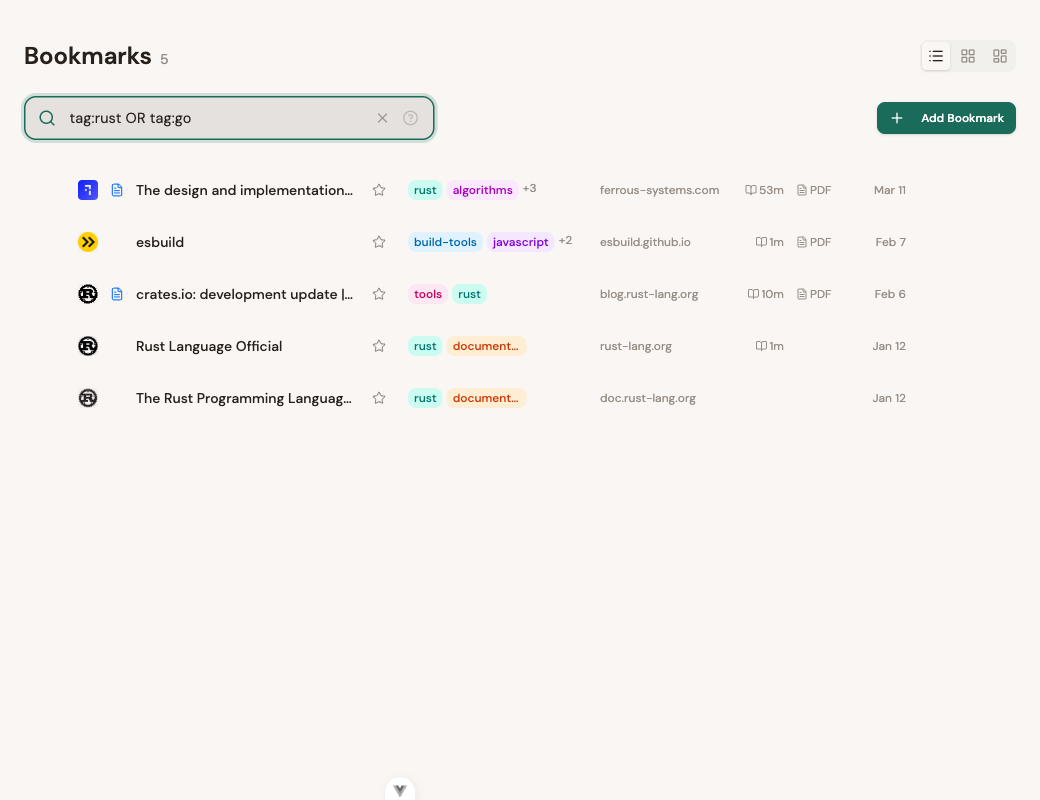
OR
Use the OR keyword (must be uppercase) to match any of several conditions:
tag:rust OR tag:python
type:video OR type:audio
domain:vercel.com OR domain:netlify.com
Negation with -
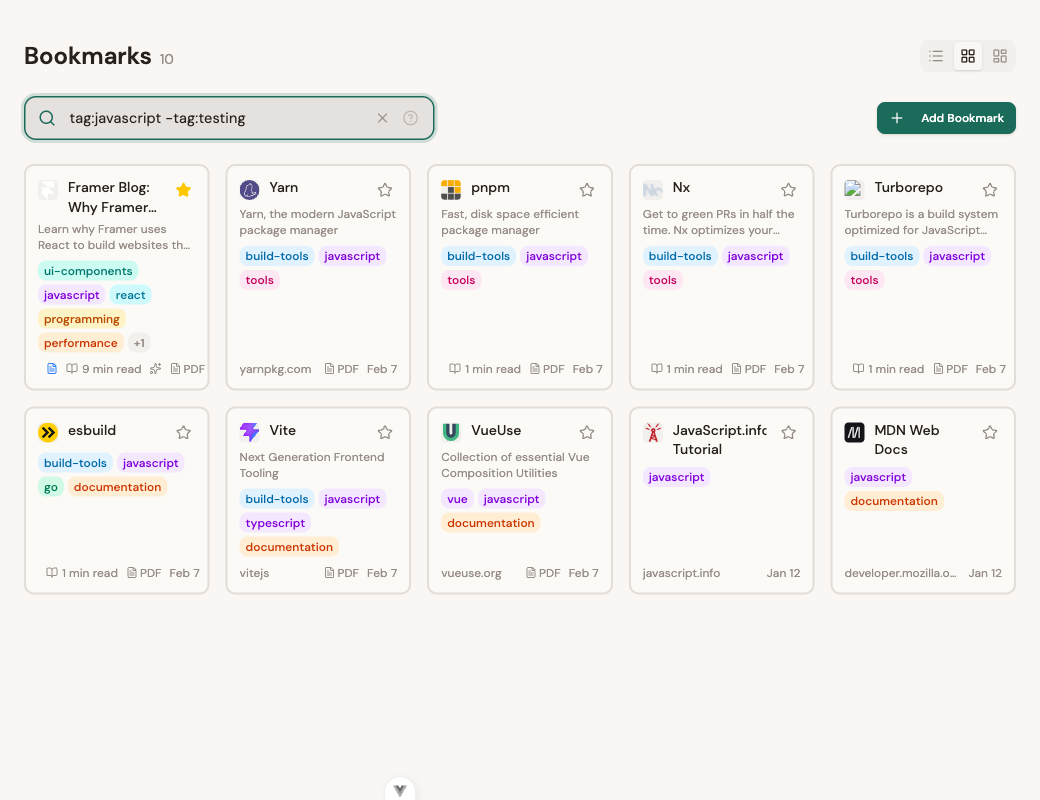
Prefix any term with - to exclude it:
-tag:archived               # Exclude anything tagged "archived"
-is:favorite                # Exclude favorites
-type:link                  # Exclude generic links
-"deprecated"               # Exclude items mentioning "deprecated"
-has:tags                   # Items without any tags
Parentheses for grouping
Use parentheses to control how OR and AND interact:
(tag:rust OR tag:python) is:favorite
Without parentheses, tag:rust OR tag:python is:favorite would be interpreted as: anything tagged "rust" OR items that are tagged "python" AND favorited, which is probably not what you want.
More examples:
(type:video OR type:audio) saved:1w
(domain:vercel.com OR domain:netlify.com) tag:rust
(tag:react OR tag:vue) -tag:deprecated has:reader
Complex query examples
Here are some real-world queries that combine multiple operators:
"Favorite Rust or Go articles from this month"
(tag:rust OR tag:go) is:favorite type:article saved:thismonth
"Videos with transcripts"
type:video has:transcript
"Unread items from Vercel, excluding archived"
status:inbox domain:vercel.com -status:archive
"Articles about Kubernetes I saved recently and haven't read"
kubernetes type:article saved:2w status:inbox
"All programming subtags except Python"
tag:programming -tag=programming/python
"PDFs and documents saved last year"
is:document saved:2024-01-01..2025-01-01
Autocomplete
The search bar provides intelligent autocomplete as you type:
- Empty search bar: Shows all available operators with descriptions
- Partial operator (e.g.,
ta): Narrows to matching operators (tag:) - After operator (e.g.,
tag:): Shows valid values, your tags, folders, status options, etc. #shorthand: Typing#immediately shows tag suggestions
Autocomplete suggestions are navigable with ↑ / ↓ arrow keys. Press Enter or Tab to select. Press Escape to dismiss.
Graceful degradation
The search syntax is designed to never fail. If you type an unrecognized operator like foo:bar, it is treated as plain text and matched via full-text search instead of throwing an error. You can always type freely without worrying about syntax. The worst that happens is a broader search than intended.
Keyboard shortcuts
| Shortcut | Action |
|---|---|
| / | Focus the search bar from anywhere |
| ↑ ↓ | Navigate autocomplete suggestions |
| Enter or Tab | Select highlighted suggestion |
| Escape | Dismiss autocomplete, then blur search bar |
Operator reference
A complete reference of every search operator in one place.
| Operator | Example | Description |
|---|---|---|
| (text) | rust async | Full-text search across title, description, URL, transcript |
"phrase" | "exact match" | Exact phrase matching |
tag: | tag:rust | Tag + descendants |
tag= | tag=rust | Exact tag only (no descendants) |
tag:*/ | tag:*/python | Subtag wildcard (any parent) |
# | #rust | Tag shorthand (same as tag:) |
folder: | folder:Work | Filter by collection |
status: | status:inbox | Reading status: inbox, later, archive |
type: | type:video | Content type: article, video, audio, image, document, link |
is: | is:favorite | Boolean: favorite/fav, unread, reading, or content type shortcuts |
has: | has:notes | Existence: notes, tags, screenshot, pdf, reader, transcript |
domain: | domain:vercel.com | URL domain filter |
site: | site:GitHub | Site display name filter |
title: | title:kubernetes | Search within titles only |
note: | note:important | Search within personal notes only |
saved: | saved:1w | Date filter (keywords, relative, absolute, ranges) |
- | -tag:old | Negate any operator or term |
OR | a OR b | Boolean OR (must be uppercase) |
( ) | (a OR b) c | Group expressions |
Questions or ideas for new search operators? Drop us a line at hello@stashmark.app.